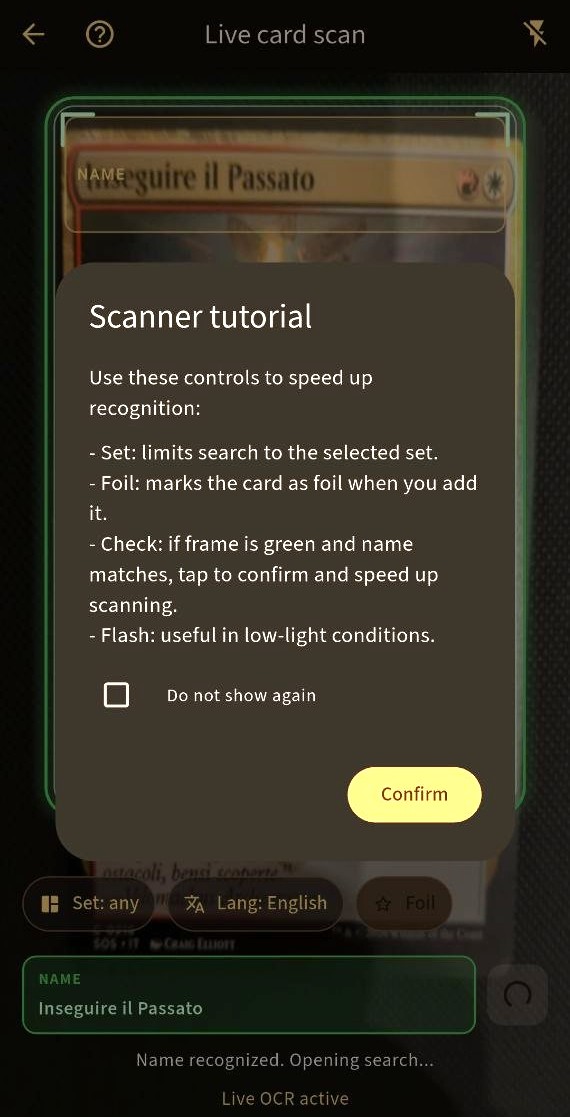
A simple scan-to-collection workflow
Open the scanner, capture a card, review the result, then add it to the collection or list where it belongs. Confirmation is part of the workflow: a scan gives you a useful starting point rather than an unverified promise about accuracy. It is suited to cataloging a batch or adding a card as you collect.
Scan Magic and Pokémon cards
BinderVault supports Magic: The Gathering and Pokémon today. After scanning, collectors can organize cards in set collections, custom collections, smart collections, wishlists, and—where useful—deck workflows. Search and filters make the results easier to use after the initial scan.
Free and Plus scanning
The free plan includes a daily scan allowance; the current app experience shows 20 scans per day. Plus provides unlimited scans. The availability and limits are governed by the app, so check Google Play and the in-app plan screen for the current offering.